
Kaidaira Miyahira Updated on Mar 31, 2025
Table of Contents
TOP VPN
Maintain Your Online Privacy with Falcon VPN
Try NowA VPN, or Virtual Private Network, is an app designed to enhance your online privacy and security. But how does a VPN work? It encrypts your internet traffic and routes it through a secure server, effectively hiding your IP address and any identifiable data, such as your location and browsing patterns. This creates a highly secure connection, giving you peace of mind every time you go online.
If you’re wondering, "How does a VPN protect my data?" the answer lies in its encryption capabilities. Most VPNs use military-grade encryption (like AES-256) to turn your online activity into a random code that’s impossible to decode without the proper key. Not only does this keep hackers at bay, but it also prevents internet service providers (ISPs) and others from seeing or using your online data for their benefit.
Beyond security, VPNs allow you to enjoy freedoms like accessing restricted content. For instance, if you love streaming, a VPN with worldwide servers can bypass geo-blocks, letting you securely enjoy platforms like Hulu or BBC iPlayer no matter where you are.
The core function of a VPN is encryption. This process shields your activities, such as sites you visit or files you download. Because encryption transforms your data into unreadable code, even if someone intercepts your connection on public Wi-Fi, they won’t be able to access sensitive details like login credentials or bank information.
Without a VPN, your ISP assigns you an IP address that’s tied to your location. Unfortunately, this opens up opportunities for advertisers, ISPs, and other entities to track your online activities or even pinpoint your real-life location. A VPN replaces your IP with one from its private server network, keeping your actual location and identity hidden.
Ever notice your internet slows down when streaming or gaming? ISPs often throttle speeds to manage congestion. A VPN prevents throttling by encrypting your traffic, keeping your activity invisible to your ISP. Stream your favorites smoothly, free from buffering or delays.
For users in countries with strict surveillance laws, a VPN can act as a shield. Governments and ISPs may monitor or log all browsing activities, but a VPN prevents this by ensuring your traffic remains private.
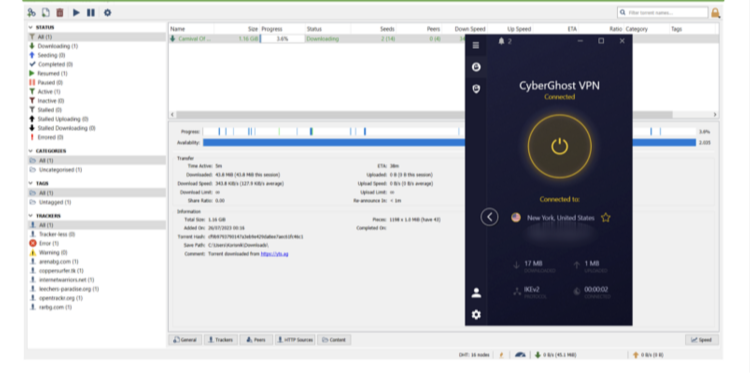
A VPN masks your IP address, effectively hiding your identity during P2P activities like torrenting. However, while a VPN adds privacy, it’s important to avoid illegal downloads and respect copyright laws.
Some VPNs come with additional features like ad and tracker blockers. These protect your device from malware and interruptions, making your browsing experience smoother and safer. Enjoy uninterrupted videos on platforms like YouTube or additional protection while exploring new websites.
Ever wondered how does a VPN work to protect your online activity? Its primary role is simple yet effective. A VPN encrypts your internet connection and routes your traffic through a private server. Plus, you often share the server's IP address with other users, adding an extra layer of anonymity by ensuring a single IP can't be linked to just you.
But that's not all. Here's a closer look at what you can do with a VPN and how it fortifies your online security.
Any VPN worth using should prioritize your privacy. Since a VPN has access to your online activity, look for one with a strict no-logs policy. This ensures your browsing data isn’t tracked, stored, or shared. For instance, premium providers like ExpressVPN undergo regular audits to confirm their no-logs claims. Speaking of authentication, who owns ExpressVPN has been a popular topic; rest assured, its ownership has remained transparent, and it continues to uphold strong privacy standards.
Location matters, too. Choose a VPN headquartered in countries with privacy-friendly laws, outside alliances like the 14-Eyes. This ensures that even if government authorities request data, the VPN provider isn’t legally bound to comply.
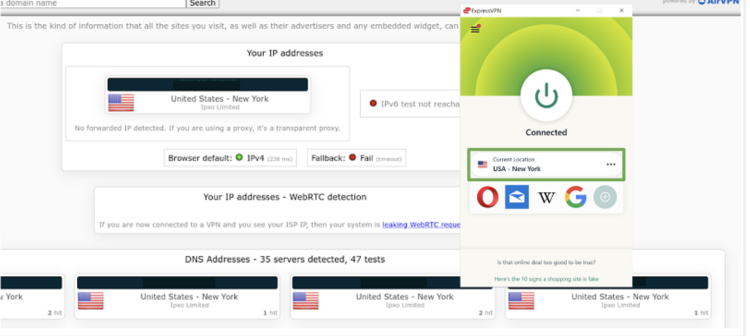
A reliable VPN protects you from DNS and IP leaks, which can inadvertently reveal personal details like your location or browsing history. Performing a simple IP leak check at sites like ipleak.net can confirm you’re secure (your IP should align with the VPN’s server, not your ISP). Another essential feature is the kill switch, which disconnects your internet if the VPN drops, preventing unintended data exposure. Just make sure it’s enabled in your VPN settings.
VPN protocols determine how securely your data travels. Top-notch protocols like OpenVPN and WireGuard are widely regarded as the most secure, offering a balance of speed and stability. Providers such as NordVPN offer proprietary protocols (e.g., NordLynx) built on WireGuard, ensuring optimized performance even if NordVPN background processes aren't running smoothly.
Here’s a quick comparison of popular VPN protocols:
| Protocol | Security | Speed | Best Use |
|---|---|---|---|
| OpenVPN | Very High | Moderate | Best for privacy & stability |
| WireGuard | High | Fast | Great for streaming & speed |
| IKEv2 | High | Good | Best for mobile networks |
| SSTP | Moderate | Moderate | Older but still secure |
| L2TP/IPSec | Low | Slow | Considered less secure |
While the advantages of a VPN often outweigh the downsides, a few limitations exist:
Encryption and server distance may cause slight slowdowns, especially if you connect to a far-off server. However, many VPNs, especially those with WireGuard support, can reduce this impact.
Premium VPNs come with a price tag, though most services charge around $5-7/month for annual plans. If you're not ready for long-term commitments, monthly plans can go up to $13, depending on the provider.
Free VPNs may lack advanced features, impose data caps, and may compromise security. If you're serious about privacy and speed, it’s better to opt for a premium VPN.
A VPN works by creating a secure and encrypted connection between your device and a remote server. Here’s a breakdown of how it functions:
Connect to the VPN: When you connect to the VPN, it establishes an encrypted "tunnel" for your internet traffic, ensuring that all data remains private.
Routing Your Traffic: Your traffic travels through this tunnel to the VPN server, which acts as a mediator between your device and the websites you're trying to access. The server masks your real IP address, replacing it with one from its own location.
Encrypted Data: The encrypted data is then sent from the VPN server to the destination website or service, protecting it from prying eyes and potential hackers.
Data Decryption: The website or service sends the requested data back to the VPN server, which encrypts it before sending it through the secure tunnel to your device.
Receive Data: Once the encrypted data reaches your device, the VPN software decrypts it, allowing you to view the information as usual.
VPN prices can vary significantly based on several factors, including the service provider and the features offered. Reputable VPNs with advanced features tend to be on the pricier side.
The cost also depends on the subscription length. Monthly plans are typically more expensive than long-term options. However, you can save a lot with yearly or 2-year plans, though these often require paying the full amount upfront.
On average, if you opt for an annual subscription, a VPN should cost between $5 to $7 per month. If you choose a monthly plan, prices can go up to $13, depending on the provider. For long-term use, it’s generally better to avoid monthly payments, as they can add up quickly over time.
Free VPNs are tempting, but they often come with risks like selling your data or including disruptive ads. Premium VPNs, on the other hand, offer robust security and superior speeds. Most come with free trials or money-back guarantees, so you can test their services risk-free before committing.
Ever wondered how does a VPN optimize your online experience? Choosing the best VPN begins with understanding what fits your needs. Whether you're into streaming, prioritizing privacy, torrenting, or bypassing restrictions, your ideal VPN should offer consistent performance, user-friendly features, and essential privacy tools. It's also important to choose one that provides 24/7 customer support, compatibility across devices, and flexibility with simultaneous connections. Plus, make sure it comes with a money-back guarantee for a risk-free trial.
For Streaming Enthusiasts
Your streaming habits should be private but shouldn't compromise on quality. Here’s what to prioritize when selecting a VPN for streaming:
Fast Speeds: Ensure speeds exceed 25 Mbps for Ultra HD streaming on platforms like Netflix or Disney+.
Nearby Servers: Servers located within 1,000 km of your location will help minimize buffering and optimize performance.
Device Compatibility: Look for VPNs that support smart TVs, gaming consoles, and media players. Bonus if they offer Smart DNS.
Streaming-Optimized Servers: Prefer VPNs with servers clearly labeled for platforms like Prime Video.
If you're unsure, exploring publicly traded VPN companies could provide transparency and reliability.

For Privacy and Security
When protecting your data, quality matters. How does a VPN protect you against threats? Here are some essential features:
Military-Grade Encryption (AES-256 or 128-bit encryption): Safeguards your browsing and personal data.
Verified No-Logs Policy: Choose VPNs with audited no-logs policies to ensure your activity is not stored or shared.
Kill Switch and DNS/IP Leak Protection: Keep your data secure even if the VPN disconnects.
Advanced Protocols (OpenVPN or WireGuard): Customize your security settings to offer strong yet flexible protection.
For Torrenting
Torrenting is often risky, but a good VPN can provide added protection. Here's what to look for:
P2P Support Across Servers: Choose VPNs with dedicated servers for torrenting activities.
Top Security Features (like encryption and kill switch): These protect your identity and data during P2P activities.
Reliable Speeds with Global Server Options: Unlimited bandwidth is essential for fast downloads.
Torrenting Extras (Split Tunneling or SOCKS5 Proxy): These features help maintain speeds and privacy while torrenting.
Wondering, "Do I need VPN for direct download?" A VPN adds an extra layer of security, especially when interacting with P2P platforms.
For Bypassing Restrictions
VPNs excel in bypassing geographic or network restrictions:
Obfuscation Features (Stealth Mode): Helps you hide VPN usage to circumvent restricted networks.
Encryption & Protocols: Use 256-bit encryption and WireGuard for maximum security.
Audited No-Logs Policy: Ensures all activity remains private and untraceable, even in highly censored regions.
Knowing how does a VPN tackle these barriers empowers you to choose wisely, particularly if you're in areas with strict online laws.
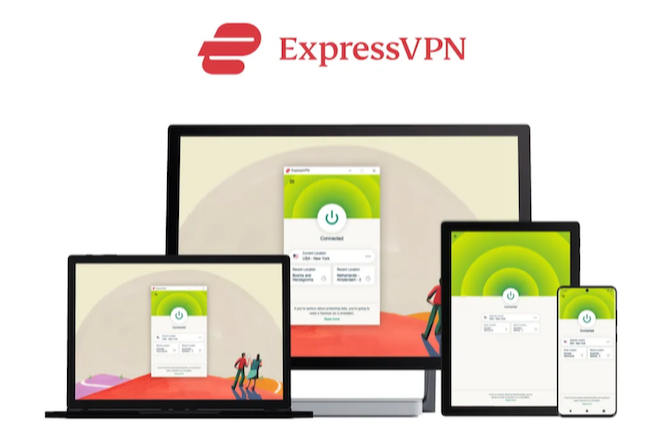
Best For: Fast speeds, reliable performance, and ease of use.
ExpressVPN is the ideal all-in-one solution for beginners. Its fast speeds, secure connections, and user-friendly interface make it perfect for streaming, torrenting, and safe browsing.
Server Network: 3,000 servers in 105 countries
Security: AES-256 encryption, Perfect Forward Secrecy, DNS/IP leak protection, and a kill switch (Network Lock)
Streaming Platforms: Unlocks Netflix, Disney+, BBC iPlayer, Hulu, and more
What Sets It Apart?
MediaStreamer Tool: Perfect for using VPN on devices like smart TVs or gaming consoles.
Obfuscation Technology: Bypasses restrictive networks, ideal for countries with censorship (like China).
Location: Based in the British Virgin Islands, covered by zero data retention laws with a verified no-logs policy.
Nearby Servers: 4% speed reduction.
Distant Servers: Speed loss under 10%, outperforming typical VPNs.
Pricing & Trial Offer:
ExpressVPN offers a 30-day money-back guarantee and regular discounts. Test it risk-free!
Best For: Beginner-friendly, task-optimized VPN with specialized servers.
CyberGhost simplifies the VPN experience by providing specialized servers for streaming, gaming, and torrenting.
Server Network: 11,690 servers in 100 locations
Specialized Servers: Tailored for Netflix, Hulu, and other services
Privacy: NoSpy servers located in privacy-friendly Romania
Additional Benefits:
NoSpy Servers: Enhance privacy by routing data through CyberGhost-controlled servers.
WiFi Protection: Automatically connects the VPN when using unsecured networks.
Pricing & Trial Offer:
CyberGhost offers a 45-day money-back guarantee and frequent deals, often with discounts up to 83%.
Best For: Customizable security features and a large server network.
PIA provides a massive server network and customizable encryption options, making it a flexible choice for those who value both performance and security.
Server Network: Largest in the industry, 29,650 servers across 91 countries
Custom Security: Switch between AES 128-bit (faster) and AES 256-bit (stronger) encryption
Streaming-Optimized Servers: Reliable for Netflix, Disney+, and more
What Sets It Apart?
MACE Blocker: Blocks ads and trackers for smoother browsing.
SOCKS5 and Shadowsocks Proxies: Extra security layers with minimal speed loss.
PIA offers consistent speeds and allows users to identify the fastest servers through latency display.
Pricing & Trial Offer:
PIA offers affordable pricing with a 30-day money-back guarantee.
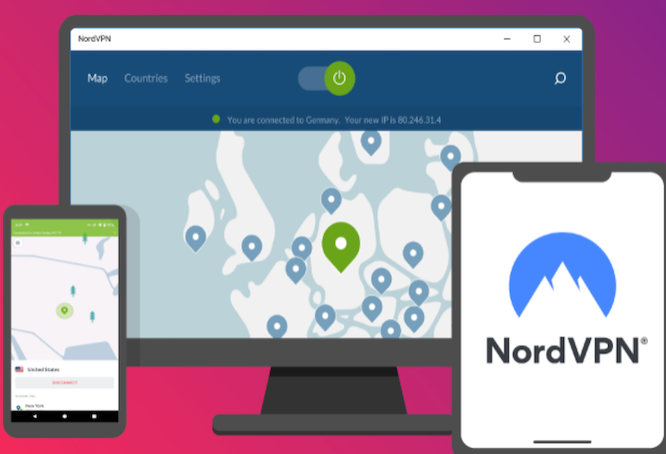
Best For: Threat protection, security-focused features, and advanced privacy.
NordVPN excels with its powerful threat protection and additional security-focused features, including obfuscated servers for bypassing network restrictions.
Server Network: 7,400 servers in 118 countries
Security: 256-bit encryption, DNS/IP leak protection, specialty security servers, no-logs policy
Works With: Netflix, Disney+, Hulu, Amazon Prime Video, BBC iPlayer, and more
What Sets It Apart?
Threat Protection: Blocks ads, malware, and trackers.
Specialty Servers: Double VPN for enhanced security, obfuscated servers for bypassing restrictions.
Speed: 82 Mbps on nearby servers, minimal 22% speed loss.
Pricing & Trial Offer:
NordVPN offers a 30-day money-back guarantee, making it a risk-free option to test.

Best For: Easy-to-use security with advanced features like rotating IP.
Surfshark offers a clean, user-friendly interface with advanced features for better security and privacy.
Server Network: 3,200 servers in 100 countries
Security: 256-bit encryption, leak protection, CleanWeb ad/malware blocker
Works With: Netflix, Disney+, HBO Max, Hulu, and more
What Sets It Apart?
Rotating IP: Frequently changes your IP address to prevent online tracking.
NoBorders Mode: Automatically detects network restrictions and simplifies server selection.
Unlimited Device Connections: Use Surfshark on as many devices as you like with one subscription.
Speed Performance:
Surfshark offers minimal lag on nearby servers, with excellent HD streaming support.
Pricing & Trial Offer:
Surfshark offers a 30-day money-back guarantee and several unique benefits for those prioritizing security.
Installing a VPN is quick and simple. Within just a few minutes, you can download the app, create an account, and connect to a secure server. However, setting up a VPN on devices without native app support (like routers, gaming consoles, or streaming devices) might take a bit more effort. No matter which device you’re using, ExpressVPN is a top recommendation. It’s compatible with a wide range of devices and operating systems, and its MediaStreamer feature makes setup on devices like gaming consoles and smart TVs a breeze.
Below are step-by-step instructions to help you install a VPN on different devices. While these examples use ExpressVPN, the general process is similar for most VPNs.
Choose a VPN
Look for a VPN that suits your needs. ExpressVPN is recommended for its fast and reliable servers, plus its easy signup process.
Sign up for a subscription
Visit the VPN’s website to create an account. If privacy is a concern, ExpressVPN allows anonymous payments using cryptocurrency.
Download the app
Select the correct version for your operating system (Windows, Mac, or Linux).
Follow the installation prompts
Log in using your credentials. You might be asked to decide if the app should launch on startup or share crash reports. Adjust these settings as you prefer.
Start using your VPN
Launch the app, connect to a server, and enjoy privacy, secure streaming, or safe torrenting.
Note for Linux users: Installation might require using the terminal, but some VPNs, like PIA (Private Internet Access), offer a graphical interface for simpler setup.
Choose a VPN
Opt for one with a lightweight app that won’t drain your battery. ExpressVPN’s Lightway protocol is tailored for phones and offers exceptional performance.
Sign up for a subscription
It’s best to sign up directly on the VPN’s website for refund flexibility, as signing up through app stores can limit guarantees.
Download the app
Open Google Play or the App Store, search for the VPN, and hit download.
Install and configure
After installation, follow any prompts allowing the VPN to modify network settings.
Activate your VPN
Log in to the app and connect to a server to protect your phone.
Using a VPN on your router protects all the devices connected to your network—even those that don’t support VPN apps, like streaming devices and game consoles.
Confirm router compatibility
Many ASUS, Linksys, and Netgear models support VPNs.
Download router firmware
Most VPN services provide firmware downloads in your account dashboard. Look for specific installation guides for your router.
Install the firmware
Log into your router configuration page (often at “192.168.1.1”), select “Upgrade Firmware,” and upload the firmware file.
Alternative Option: Purchase a pre-configured router
Some VPN providers offer routers with pre-installed software, saving you setup time. ExpressVPN’s native router app makes managing servers and settings much easier compared to manual configurations.
If you can’t directly install a VPN, try using Smart DNS, a feature included with most VPNs that reroutes DNS requests through a proxy. Keep in mind, this doesn’t encrypt your data.
Set up Smart DNS in your VPN account
Input your IP address on the VPN’s DNS settings page.
Copy the Smart DNS IP address
Your VPN provider will generate one for you.
Adjust your device’s network settings
Enter the Smart DNS IP to enable the service on your device.
Alternatively, installing a VPN on your router (see the previous section) can also provide coverage for these devices.
Once your VPN is up and running, connecting to the right server and adjusting settings can further optimize your experience.
Privacy & Security: Choose a server close to your location for maximum speed.
Streaming: Use servers geographically near the streaming platform you’re accessing.
Torrenting: Connect to P2P or privacy-focused servers for optimal speed and security.
Bypassing Restrictions: Use obfuscation (“stealth”) servers for heavily restricted networks.
Kill Switch: Ensure this feature is on to prevent accidental data leaks.
Encryption Levels: Opt for AES-256-bit encryption for top-tier data security.
Protocols: Use OpenVPN or WireGuard for a balance of speed and security.
Split Tunneling: Customize which apps use the VPN connection.
Ad/Tracker Blockers: Enable this feature to curb ads and improve browsing speed.
Auto-Connect: Activate auto-connect to ensure you're always protected when online.
By following these setup steps and tips, you’ll ensure your VPN is working smoothly and securely, no matter the device.
If online privacy and security matter to you, a VPN is absolutely worth it. By encrypting your connection and hiding your IP address, a VPN protects your sensitive data and stops third parties from tracking your online activity. This means you can browse securely while safeguarding yourself from cybercriminals and government surveillance.
Best of all, VPNs are affordable! Many top-quality VPNs cost as little as $6 per month, even less with discounts. For example, ExpressVPN is offering 61% off right now. Considering the benefits to your privacy, a VPN is hard to pass up.
VPNs are compatible with most WiFi-enabled devices, like:
Computers: Mac, Windows, Linux
Mobile Devices: iOS, Android
Smart TVs: Apple TV, Roku, Amazon Fire Stick
Consoles: Xbox, PlayStation
Browsers: Chrome, Firefox, Edge, Opera
If your device supports VPN apps (like smartphones or PCs), installation is straightforward and only takes a few minutes. Just download the app and connect to a server with one click.
For devices that don’t support VPN apps (like some game consoles or smart TVs), you can install a VPN on your router. This setup protects all devices connected to it. Alternatively, use your PC as a VPN hotspot to protect nearby devices.
Note that VPN browser extensions are also available. While handy for hiding your IP address while browsing, they don’t secure all traffic on your device.
No, a VPN provides privacy, but not complete anonymity. It hides your location and IP address while protecting against cybercriminals and surveillance, thanks to military-grade encryption. However, VPN companies have access to your real IP address and metadata to keep their servers running.
To enhance your anonymity, choose VPNs with a strict no-logs policy, and consider methods like paying with cryptocurrency. You could also use multi-hop connections for added encryption layers.
Yes, VPNs are excellent for bypassing blocks on websites—as long as they’re permitted where you are. They’re especially useful for accessing content on restricted networks or circumventing geo-blocks. However, always check local regulations and use VPNs responsibly.
The safety of a VPN depends on its provider. Trustworthy VPNs use military-grade encryption, implement strict no-logs policies, and offer advanced security features like kill switches and leak protection. Premium services like ExpressVPN are reliable and include money-back guarantees.
Avoid free VPNs, as they often track and sell your data to third parties. Stick to reputable services for guaranteed safety and privacy.
VPNs are legal in most countries, but exceptions exist. Nations like China, Russia, and Iran regulate or restrict VPN use, sometimes permitting only government-approved VPNs that don’t truly guarantee your privacy.
Premium VPNs with virtual servers for restricted regions can provide a workaround by assigning IP addresses without hosting servers in those countries, bypassing local data monitoring.
Yes! A VPN router protects every device on your home network, eliminating the need to install VPNs individually. It’s perfect for devices like gaming consoles and smart TVs that can’t use VPN apps.
You can install VPN software on a compatible router or purchase one pre-configured with a VPN. While setup varies by model and provider, most VPNs provide clear instructions to simplify the process.
Yes, but only slightly. VPNs typically reduce your connection speed by 10–20%, as your data is encrypted and routed through an extra server. Servers far from your location may slow speeds further.
However, premium VPNs are optimized for performance. Many, like ExpressVPN, use advanced protocols like WireGuard for lightning-fast speeds without compromising security.
Yes, and it’s simple! Just connect to your VPN, open the Tor browser, and start browsing. This combination enhances privacy by hiding your IP address from Tor’s entry node. However, it’s slower than using Tor alone due to the added VPN encryption.
Yes. While both services mask your IP address, VPNs are far more secure. They encrypt all your internet traffic and operate under no-logs policies, offering protection across all apps on your device.
Proxies only hide your IP address and work within the browser, offering minimal privacy and no encryption. For true security, choosing a VPN is the better option.
The need for online privacy continues to grow, and using a VPN is a reliable, cost-effective way to ensure it. It protects personal data, bypasses website blocks, prevents bandwidth throttling, and secures torrent activities.
Want to try one risk-free? FalconVPN- A user-friendly VPN with fast servers optimized for streaming, allowing seamless access to Hindi movie platforms with minimal lag. Its strong encryption ensures privacy while watching Bollywood films from anywhere.
As a senior editor, Kaidaira Miyahira conducts in-depth research and data analysis on VPNs, working closely with writers to produce comprehensive reviews and guides on the best VPNs for streaming, gaming, and secure browsing. With a strong background in online security, Kaidaira provides readers with expert insights into protecting their digital privacy and avoiding cyber threats. Passionate about internet freedom, Kaidaira has authored numerous articles offering practical strategies for enhancing security and maintaining anonymity online.