
Kaida Rylan Updated on Apr 9, 2025
Table of Contents
TOP VPN
Maintain Your Online Privacy with Falcon VPN
Try NowWhile Discord isn't fully banned in the UAE, its voice and video communication features remain restricted due to strict VoIP regulations. Since 2016, users in the UAE haven't been able to access functions like voice chats or screen sharing. Additionally, some internet service providers (ISPs) like Etisalat and DU have imposed a total ban on the platform. But does that mean all hope is lost for UAE-based Discord communities, such as the Dubai Discord sever? Not at all! With the use of a reliable VPN, you can still access Discord safely and unlock its full functionality, despite the fact that Discord is still banned in some regions.
If you're eager to get Discord up and running in the UAE, here's a simple step-by-step guide:
Start with a VPN designed for VoIP traffic. Look for one that offers advanced security features, fast speeds, and obfuscation capabilities to ensure your ISP won’t detect its use. I recommend ExpressVPN, which supports seamless Discord calls and keeps your connection private. Its strong encryption and fast servers guarantee smooth voice chats and group calls.
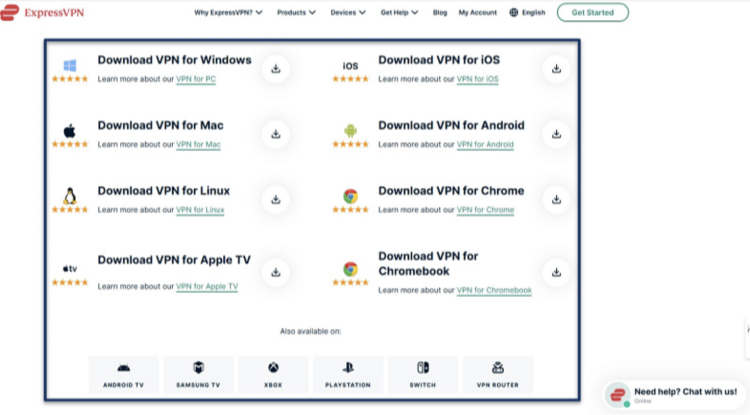
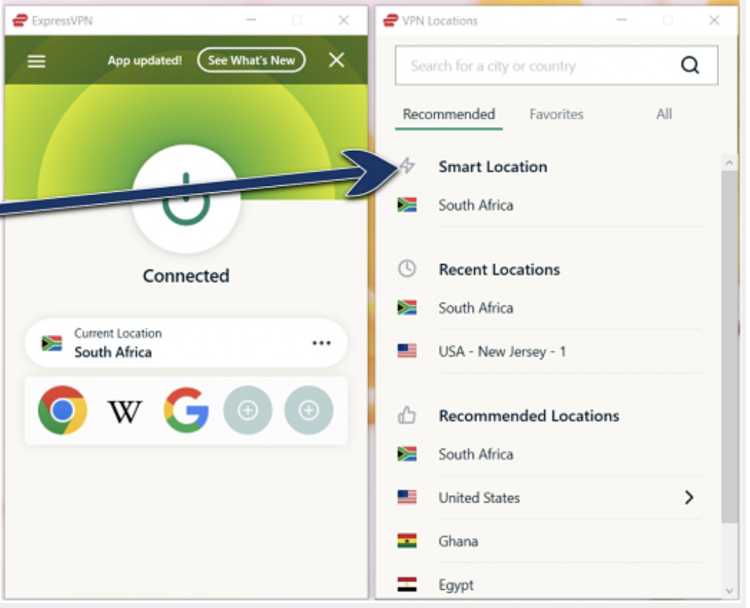
Select a server location outside the UAE for unrestricted access. Choosing a server closer to the UAE (e.g., India or Saudi Arabia) ensures minimal lag during Discord calls. Once connected, your ISP will no longer be able to filter your VoIP traffic.
Open the Discord app and log in. If you’re new, download the app from your device’s store and create an account using your email address. Whether you're chatting with friends, managing your Dubai Discord server, or participating in voice channels, the VPN will keep your activities secure.

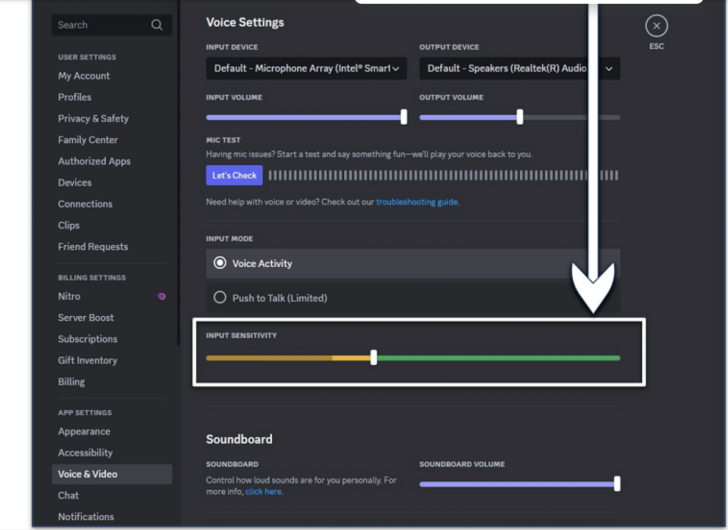
Adjust Discord voice and video settings for optimal call quality. Under “Voice & Video” settings, tweak your input sensitivity and enable noise suppression to enhance your communication experience. This step is particularly useful when using a VPN.
With the VPN connected, you’ll have access to Discord’s voice, video, and screen-sharing features without fear of ISP blocks. Keep the VPN active during your sessions for consistent performance and privacy.
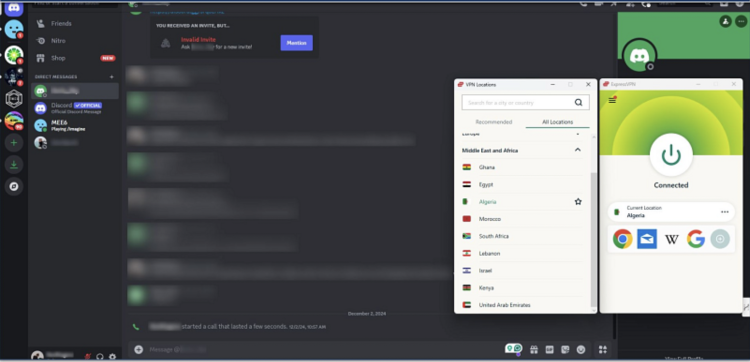
Pro Tip: Download and set up your VPN before arriving in the UAE to avoid potential restrictions when accessing international apps like Discord.
Here are the best VPN options for accessing Discord in the UAE and ensuring your communication remains secure:
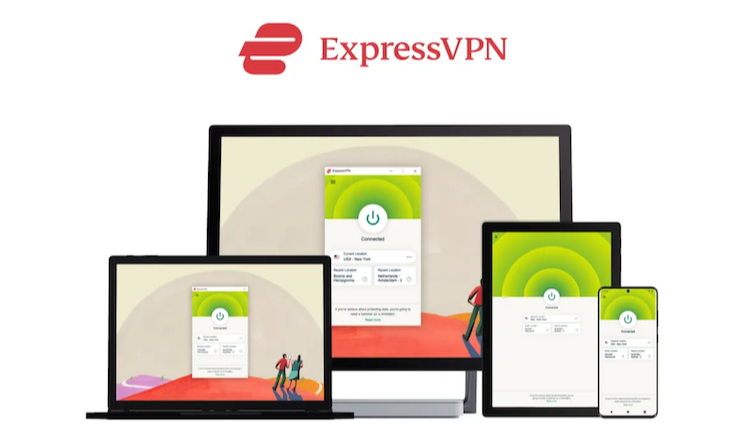
ExpressVPN makes using Discord in the UAE simple. Its obfuscation feature disguises VPN traffic, bypassing network restrictions effortlessly. Whether you're joining a voice call or sharing screens during games, ExpressVPN’s military-grade encryption ensures your activity remains secure.
Features:
Fast Lightway protocol with average download speeds of 206.10 Mbps
Low latency under 50ms for smooth calls and real-time gaming
Trusted no-logs policy for complete anonymity
Pricing:
Starting at $4.99/month, though long-term plans offer savings of up to 61%. Plus, there’s a 30-day money-back guarantee to test it risk-free.
👉 April Deal: Get 61% off ExpressVPN today on ExpressVPN.com.
Can you use Discord in areas like the UAE or China? CyberGhost simplifies this challenge with its intuitive design. One button is all it takes for a secure connection, perfect for fast-paced games and group chats through Discord.
Why Choose It?
Speeds up to 158.07 Mbps for lag-free calls
Gaming-optimized servers enhance performance during multitasking
Affordable plans starting at $2.19/month with a 45-day money-back guarantee
Pricing:
CyberGhost is a solid choice for casual users. However, long-distance servers can feel slower than ExpressVPN.
👉 April 2025 Special: Save 83% on CyberGhost at CyberGhostVPN.com.
PIA offers advanced settings for tailoring your connection, so you can balance speed and security while making Discord calls. From switching protocols to adjusting encryption levels, it’s designed to enhance your experience, even on unstable networks.
Highlights:
WireGuard provides top speeds for streaming, gaming, and VoIP
Subscription rates start at $2.19/month with a generous 30-day refund policy
Extensive network ensures no interruptions during Discord calls
Pricing:
Though it offers deep customization, PIA might overwhelm beginners with its advanced features. But for experienced users, it’s a fantastic tool.
👉 Current Offer: Get an 82% discount on long-term plans. Visit PIA.com today.
We conducted extensive tests to assess each VPN’s capability to handle VoIP traffic securely while preserving call quality. The primary objective was to evaluate whether the VPN allowed smooth use of Discord’s voice channels from various global locations. We also measured factors like latency and packet loss during long Discord calls and screen sharing sessions to analyze overall performance.
Our research is continuously updated with fresh findings from regular testing and real-world user feedback. For a deeper understanding of our testing process, please visit our methodology page. You can also use our criteria list to conduct your own evaluations.
In the UAE, VoIP services are tightly regulated by the Telecommunications and Digital Government Regulatory Authority (TDRA). This regulation impacts the functionality of various communication applications differently. Below is a detailed breakdown of how VoIP regulations influence Discord in the UAE:
| Service | Status in UAE | Features Available | Features Blocked |
|---|---|---|---|
| Discord Desktop | Partially Blocked | Text chat, Direct messages, Server browsing, File sharing | Voice calls, Video calls, Screen sharing |
| Discord Mobile | Partially Blocked | Text chat, Direct messages, Server browsing, File sharing | Voice calls, Video calls, Screen sharing |
| Discord Web | Partially Blocked | Text chat, Direct messages, Server browsing, File sharing | Voice calls, Video calls, Screen sharing |
Here are some frequently asked questions about using Discord in restricted regions like the UAE and China:
Yes, Discord voice and video calls are restricted. However, text chat and file-sharing features remain partially accessible. Are status from in calls public on Discord? No, Discord calls are private, and your status during calls is only visible to people in the same voice channel.
Yes, but only with advanced obfuscation tools like those offered by ExpressVPN to bypass China’s VPN detection systems.
No, Discord calls are private. Ensure your privacy further with VPNs that offer DNS/IP leak protection.
Using a VPN lets you securely connect to Dubai-based Discord servers, ensuring low ping and smooth gameplay.
This guide provides you with everything you need to know to access Discord safely in the UAE, even with VoIP restrictions in place. Whether you're a casual user or a gamer, using a VPN ensures that your communications remain private and secure.
Kaida Rylan is a Junior Writer specializing in VPN reviews and online security. Passionate about technology and digital privacy, Kaida has been researching and testing VPNs to provide readers with honest, in-depth insights. Kaida holds a Master’s Degree in Communications and a Bachelor’s in Media Studies. Additionally, they completed a cybersecurity certification program and gained experience working at a tech startup. Before joining the VPN industry, Kaida worked as a content creator, tech writer, and digital marketing specialist. In their free time, they enjoy exploring new cybersecurity tools and staying up to date with the latest tech trends.