
Kaida Rylan Updated on Mar 31, 2025
Table of Contents
TOP VPN
Maintain Your Online Privacy with Falcon VPN
Try NowYour IP address reveals more than just your location—it can be used to track your online activity, build profiles, and even launch targeted cyberattacks. Knowing how to hide your IP address is crucial for maintaining your privacy and protecting your online identity. Fortunately, there are several ways to achieve this, from simple methods to advanced tools.
In 2025, VPNs are still the most reliable and safest option to hide your IP address. But there are alternatives like proxies, IP scramblers, and even using the Tor browser. This guide covers all the top methods for hiding your IP address.

Your IP address is essentially your online identity, and if left exposed, it can be used to:
Track your browsing behavior: Websites and advertisers can monitor what you do online and build detailed profiles about you.
Launch targeted cyberattacks: Hackers can target your IP address for malicious activities like DDoS attacks or phishing scams.
Access restricted content: Your IP is often used to restrict access to websites, streaming services, and other online platforms based on your geographic location.
By hiding your IP address, you can safeguard your online activities and enjoy more privacy and security.
A VPN (Virtual Private Network) is the best solution for hiding your IP address. It works by routing your data through an encrypted tunnel and replacing your real IP address with one from its server.
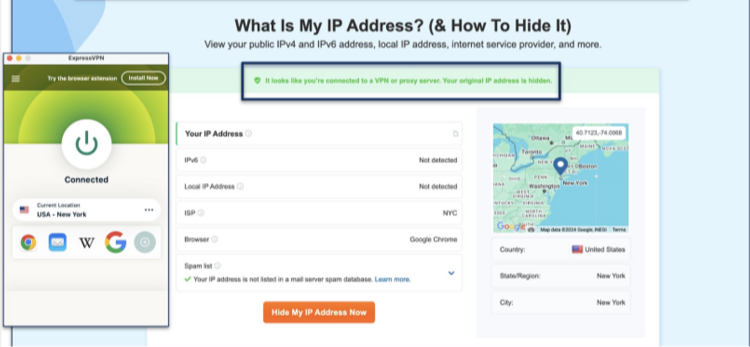
Why Choose a VPN?
Encryption: A VPN encrypts your internet traffic, ensuring that no one, including hackers or your ISP, can see what you’re doing online.
Leak Protection: Premium VPNs offer leak protection and kill switches to prevent accidental exposure of your real IP.
Geo-Access: A VPN allows you to choose an IP address from servers worldwide, enabling access to region-locked content.
Quick Steps to Use a VPN:
Install the VPN app on your device.
Select and connect to a server in your desired location.
Start browsing with a hidden IP address instantly.
Top VPNs for Hiding Your IP Address in 2025
ExpressVPN – The top choice for hiding your IP address, offering a solid privacy policy, robust security, and advanced obfuscation techniques to ensure your protection even on restrictive networks.
CyberGhost – Featuring exclusive NoSpy servers, accessible only by CyberGhost staff, ensuring no third-party access to your data for ultimate privacy.
Private Internet Access (PIA) – Offering a wide range of customization options, PIA allows you to fine-tune your VPN connection, balancing speed and security while masking your IP address effectively.
FalconVPN- A user-friendly VPN with fast servers optimized for streaming, allowing seamless access to Hindi movie platforms with minimal lag. Its strong encryption ensures privacy while watching Bollywood films from anywhere.
A proxy server acts as a middleman, forwarding your internet requests while masking your real IP address. While proxies can be useful for some tasks, they lack encryption, leaving your data exposed.
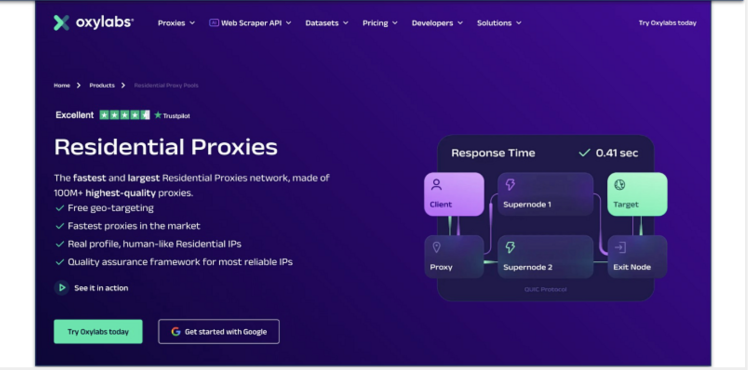
HTTP Proxies: Best for web browsing.
SOCKS5 Proxies: Handle general internet traffic.
Residential Proxies: Mimic real user IPs for added authenticity.
Select a proxy server.
Configure your browser or network with the provided proxy settings.
Verify that your IP has changed.
While proxies are easy to use, they don’t offer the same security level as a VPN.
An IP scrambler continuously changes your IP address at regular intervals, making it difficult to track your online activity. Some VPNs (like Surfshark) offer rotating IP features as part of their service.
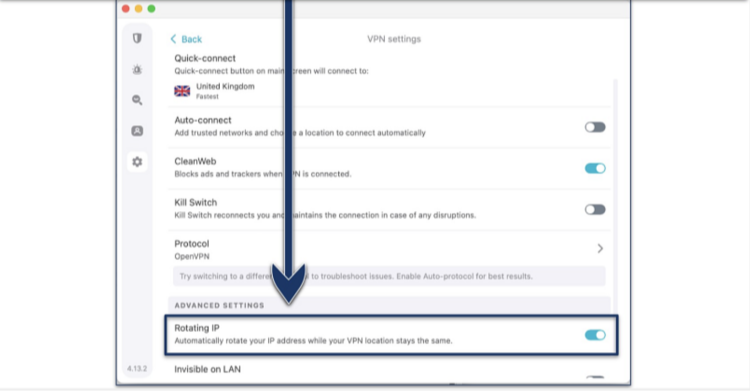
Steps to Use an IP Scrambler:
Choose a VPN or antivirus program that offers dynamic IP features.
Activate the feature in the settings.
Enjoy a constantly changing IP address for added security.
This method is great for those who want extra protection against tracking.
The Tor Browser provides a free, secure way to hide your IP by routing your data through multiple encrypted relays operated by volunteers around the world. Tor assigns a new IP every time you connect, making it extremely difficult to trace your activity.
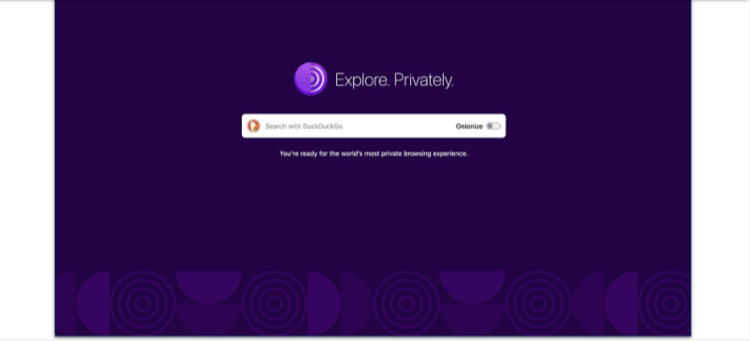
Benefits of Tor:
Maximum Privacy: Routes traffic through several layers of encryption.
Script Blocking: Tor blocks scripts that might expose your identity.
Limitations:
Speed: Tor can be slower than other methods due to its multiple layers of encryption.
Website Restrictions: Some websites may block Tor users.
Steps to Use Tor:
Download the Tor Browser from its official website.
Connect to the Tor network.
Browse with enhanced privacy.
Using your smartphone's mobile hotspot temporarily hides your home IP address by using the mobile network’s IP. This method is simple but not ideal for long-term use.
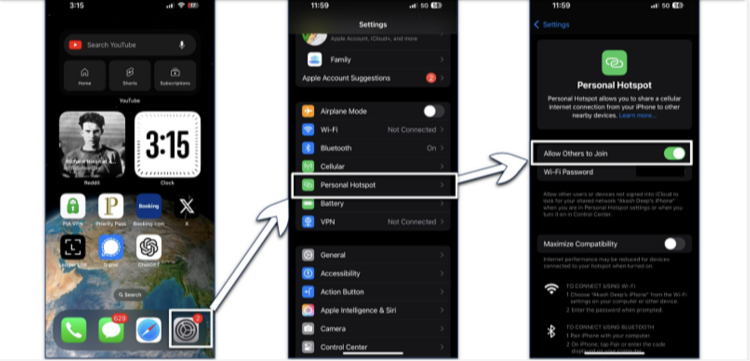
Enable the mobile hotspot feature on your phone.
Connect a device to the hotspot.
Browse with the mobile network’s IP address.
This method is ideal for short-term IP masking but comes with data usage limitations.
Public Wi-Fi networks like those found in cafes or libraries can also temporarily mask your home IP address, as public networks assign a unique IP to each connected device.
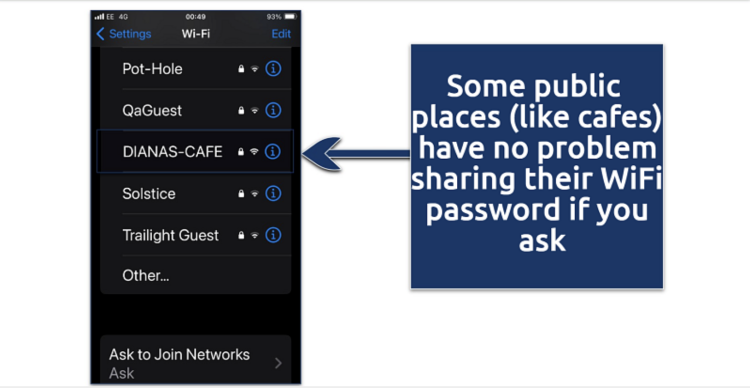
Risks of Public Wi-Fi:
Lack of Security: Public networks are often unencrypted and monitored.
Vulnerable to Hacking: Your data could be intercepted if not properly protected.
Best Practices for Public Wi-Fi:
Avoid accessing sensitive data or making financial transactions on public Wi-Fi.
Always use a VPN when connecting to a public Wi-Fi network.
Here’s a quick comparison of the most popular methods for IP masking, including their security levels, speed, ease of use, and cost:
| Method | Security Level | Speed | Ease of Use | Cost | Best For |
|---|---|---|---|---|---|
| VPN | Very High (Encrypted) | Fast | Very Easy | $3–12/month | Overall privacy & security |
| Proxy | Low (Unencrypted) | Medium | Easy | Free–$10/month | Quick IP changes |
| IP Scrambler | Medium | Fast | Medium | Part of Security Suite | Regular IP rotation |
| Tor Browser | High | Slow | Medium | Free | Maximum privacy |
| Mobile Hotspot | Low | Depends on signal | Very Easy | Mobile Data Costs | Ease of use |
| Public Wi-Fi | Very Low | Varies | Easy | Free | Basic IP switching |
When it comes to IP protection, a VPN is considered the gold standard. VPNs, like ExpressVPN, offer military-grade encryption and strict zero-log policies, ensuring your online identity remains completely hidden. These security features not only protect you from hackers and unwanted surveillance but also prevent your internet service provider (ISP) from monitoring your online activities. Additionally, VPNs allow you to bypass geographic restrictions, granting you access to content and services that may otherwise be blocked in your region. Whether you're streaming, browsing, or working remotely, a VPN offers peace of mind and unmatched privacy for anyone looking to protect their online presence. How to hide your IP address is as simple as installing a VPN app, selecting a server, and connecting to it.
While VPNs are the most recommended option, here are some additional methods for web address disguise or IP masking:
Unplugging Your Modem: Disconnecting your modem can result in a new IP being assigned by your ISP.
Contacting Your ISP: Some ISPs will allow you to request a new IP address, although some may charge for the service.
Using Browser Extensions: Certain extensions and browsers offer isolated sessions with different IPs for privacy.
Renewing Your Local IP: On Windows or Mac, you can refresh your local IP address through network settings.
Hiding your IP address provides several key advantages, including:
Prevent Tracking: Stop advertisers from profiling your online behavior and targeting you with ads.
Access Blocked Content: Bypass geo-restrictions to access websites or streaming services that are otherwise blocked.
Avoid Price Discrimination: Hide your location to prevent websites from offering different prices based on your region.
Protect Against Cyber Attacks: Hide your IP to protect against hacking, DDoS attacks, and online surveillance.
Secure Workplace Privacy: Keep your personal information safe while working remotely by masking your IP.
Yes, it’s legal to use tools like VPNs for privacy in most countries. However, always check your local regulations to ensure compliance.
Download a credible VPN app and turn it on to route all your mobile data through a secure server.
No, incognito mode only prevents your browser from storing data locally, but your IP address remains visible. To fully hide your IP, use a VPN or similar tool.
Free options like Tor and proxies exist, but they often come with limitations in speed and security. For more reliable protection, opt for a premium VPN service.
Knowing how to hide your IP address is essential for safeguarding your privacy, avoiding online tracking, and protecting against cyber threats. VPNs like FalconVPN offer the highest level of security and ease of use. Whether you're concerned about online tracking or need to bypass content restrictions, hiding your IP is a smart move to enhance your online security.
Start your journey to better privacy today and browse the web securely with TrustedVPN.
Kaida Rylan is a Junior Writer specializing in VPN reviews and online security. Passionate about technology and digital privacy, Kaida has been researching and testing VPNs to provide readers with honest, in-depth insights. Kaida holds a Master’s Degree in Communications and a Bachelor’s in Media Studies. Additionally, they completed a cybersecurity certification program and gained experience working at a tech startup. Before joining the VPN industry, Kaida worked as a content creator, tech writer, and digital marketing specialist. In their free time, they enjoy exploring new cybersecurity tools and staying up to date with the latest tech trends.